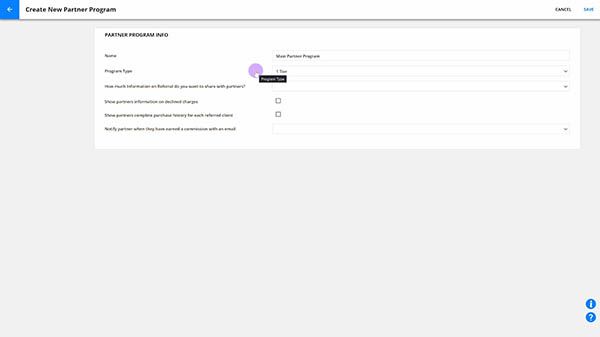
Ontraport partner programs use cookies to track your referred customers and identify the partner who referred them. When the customer opts in or purchases a product, the Ontraport tracking script and form processor read the cookie and add the partner information to the customer’s contact record. This system makes the referral information extremely reliable.
You don’t need to add any extra tracking when selling products on Ontraport pages. However, if you sell products using a third-party shopping cart, you must add the partner tracking pixel to track your referrals.
The Partner Sub ID is a valuable tool for partners who want to gain deeper insights into their marketing efforts. It allows them to track the performance of their various marketing strategies, helping them optimize their approach.
Table of contents
Partner Tracking Pixel
Partner Sub ID tracking
Partner Tracking Pixel
If you run your partner program through Ontraport, but sell your products and process payments using a third-party shopping cart rather than Ontarport’s native payment pages, you can track your partner’s sales.
To ensure partners are credited for the sales they refer, you must place the partner tracking pixel on the checkout confirmation page of your third-party shopping cart. The pixel passes transaction data (such as card order ID, item price and quantity) back to Ontraport so the system can successfully attribute the sale to the correct referring partner.
This is an advanced feature and if you are unfamiliar with editing and placing tracking scripts, we recommend hiring an Ontraport Expert.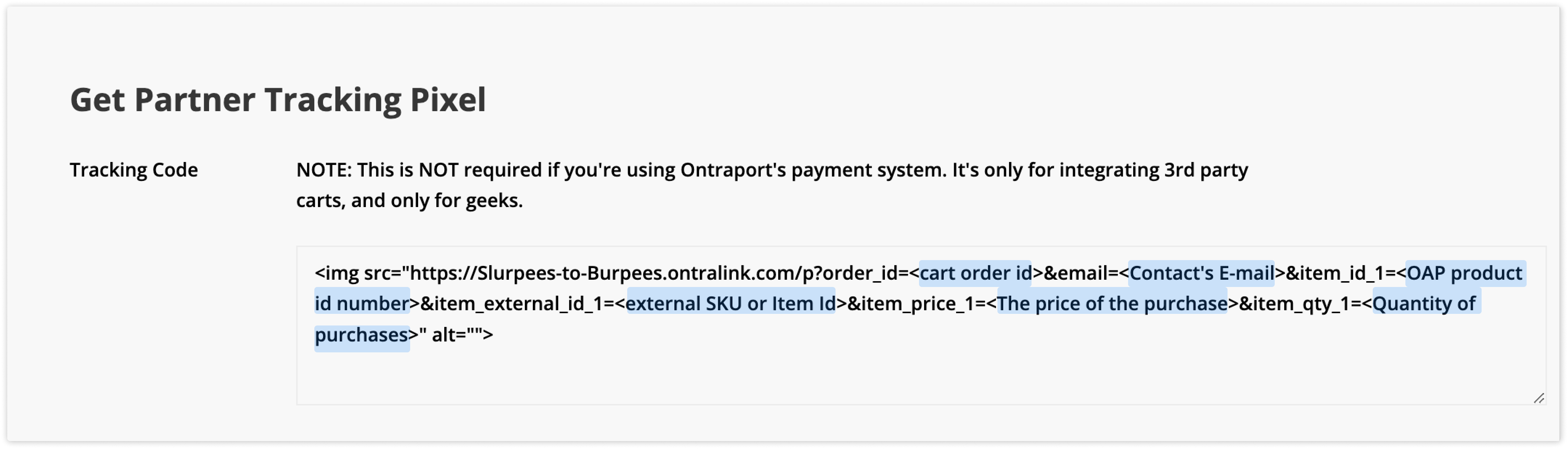
- Go to
.png) → Administration → Developer preferences and resources → Get partner tracking pixel.
→ Administration → Developer preferences and resources → Get partner tracking pixel. - Copy the tracking code.
- Go to your shopping cart’s confirmation page and replace the example tags with information about the transaction using the format used by the third party to merge in data.
- You can add multiple items to a single invoice by adding additional item fields such as “&item_id_2=x&item_price_2=1000”.
- You can add additional fields to the end of your tracking pixel to populate more data.
- &tax=<Amount of tax charged on this transaction>
- &tax_city=<Amount of city tax charged on this transaction>
- &tax_state=<Amount of state tax charged on this transaction>
- &tax_county=<Amount of county tax charged on this transaction>
- &shipping_amt=<Amount of shipping charged on this transaction>
- &<Any Contact Field>=<Any contact value, e.g. &City=New York&First Name=Jonathan>
Partner Sub ID tracking
Back to top
This feature is for partners who want to fine-tune their promotional efforts and track what's working and what's not.
If one of your partners is actively promoting your products across multiple marketing channels (such as Facebook ads, email newsletters and blog posts) and they want to figure out which specific strategy is driving the most traffic and sales, then you can use the partner sub ID.
The Sub ID allows your partners to track traffic from different sources and compare stats. For your partners to view tracking on different Sub IDs, they’ll need access to a WordPress partner center and click on the Reports tab.
For example, if you wanted to track the performance of two different links, you could add a unique Sub ID to the end of your URLs like this:
- https://Slurpees-to-Burpees.ontralink.com/t?orid=1053&opid=28&sid=dec-2024-newsletter
- https://Slurpees-to-Burpees.ontralink.com/t?orid=1053&opid=28&sid=jan-2024-newsletter
Your partners can add Sub IDs to their affiliate links and customize the links to emails, ads, pages and other promotional items. Leads can click on the links and view the tracking in their WordPress partner center.