
AI

Powerful AI connected to every part of your business

Get answers inside your account, add AI to your automations, and manage contacts, payments and campaigns from Claude or ChatGPT.

Explore our AI features

settings
arrow_forward
Talk to sales
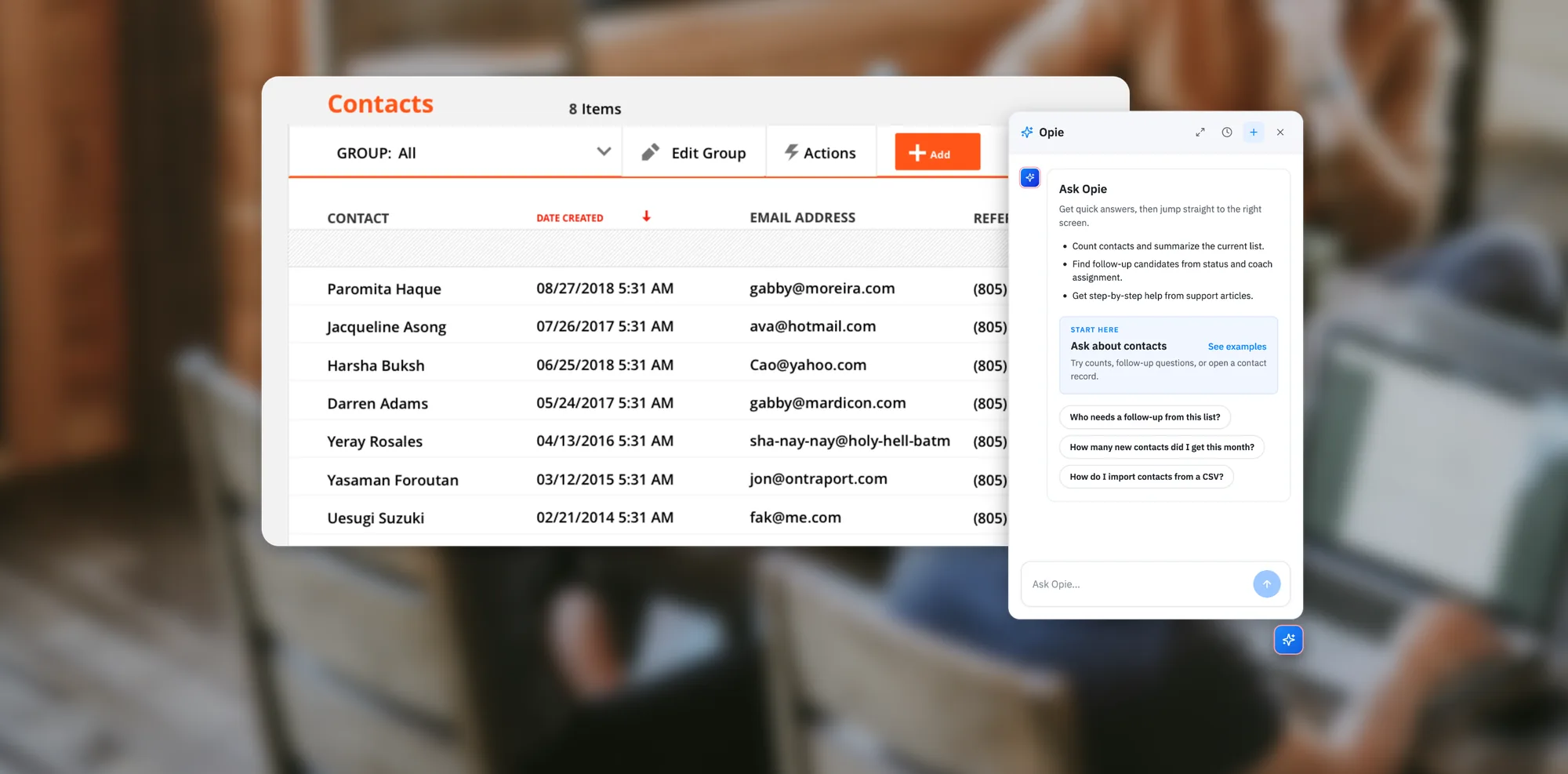
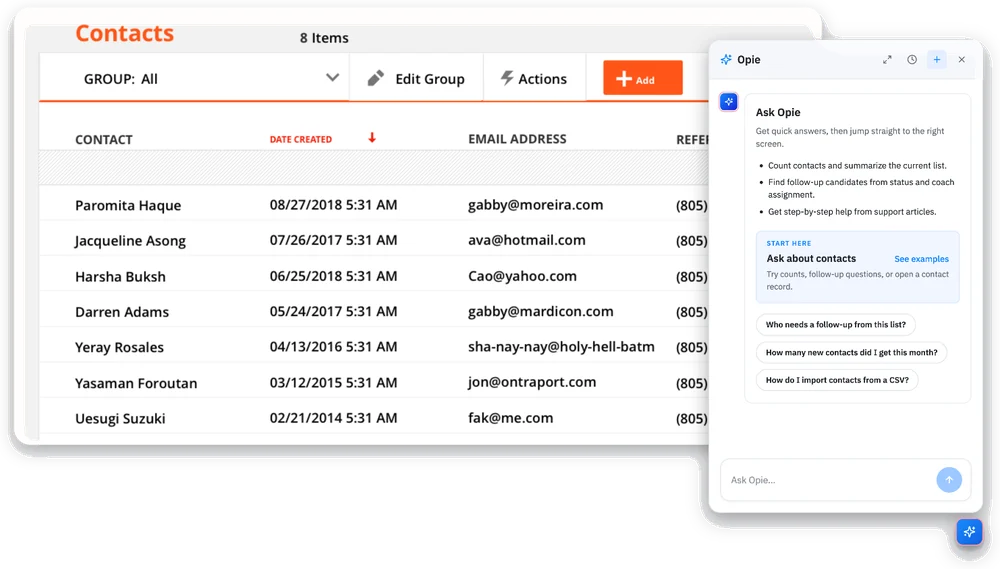
Opie, Ontraport's AI chat assistant, open beside a contact list in the Ontraport app

Why choose Ontraport’s AI features?

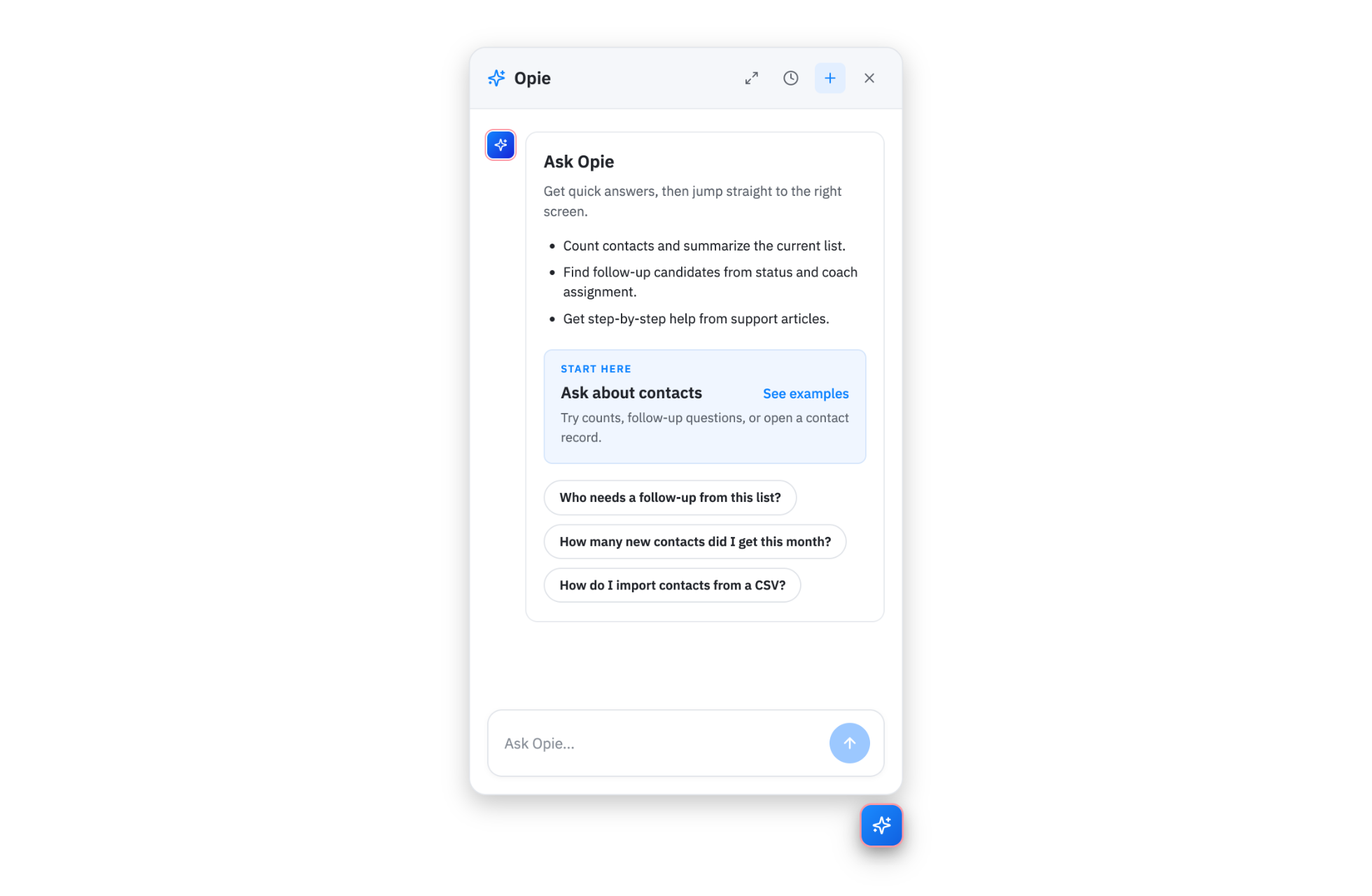
Ontraport’s built-in AI chat answering a question inside the app

Built-in AI chat that answers as you work

Open the built-in AI chat while you work and ask how a feature works or about a number in your data. You’ll get an answer with a link that takes you right where you need to go.

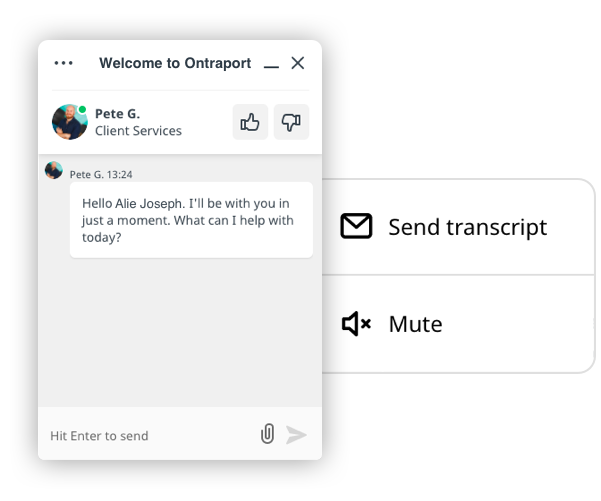
AI chat handing a conversation off to live support with a summary

A real person when AI isn’t enough

If the chat assistant can’t solve something, it can hand you off to a live chat or support ticket with a summary of your conversation, so you don’t have to start over.

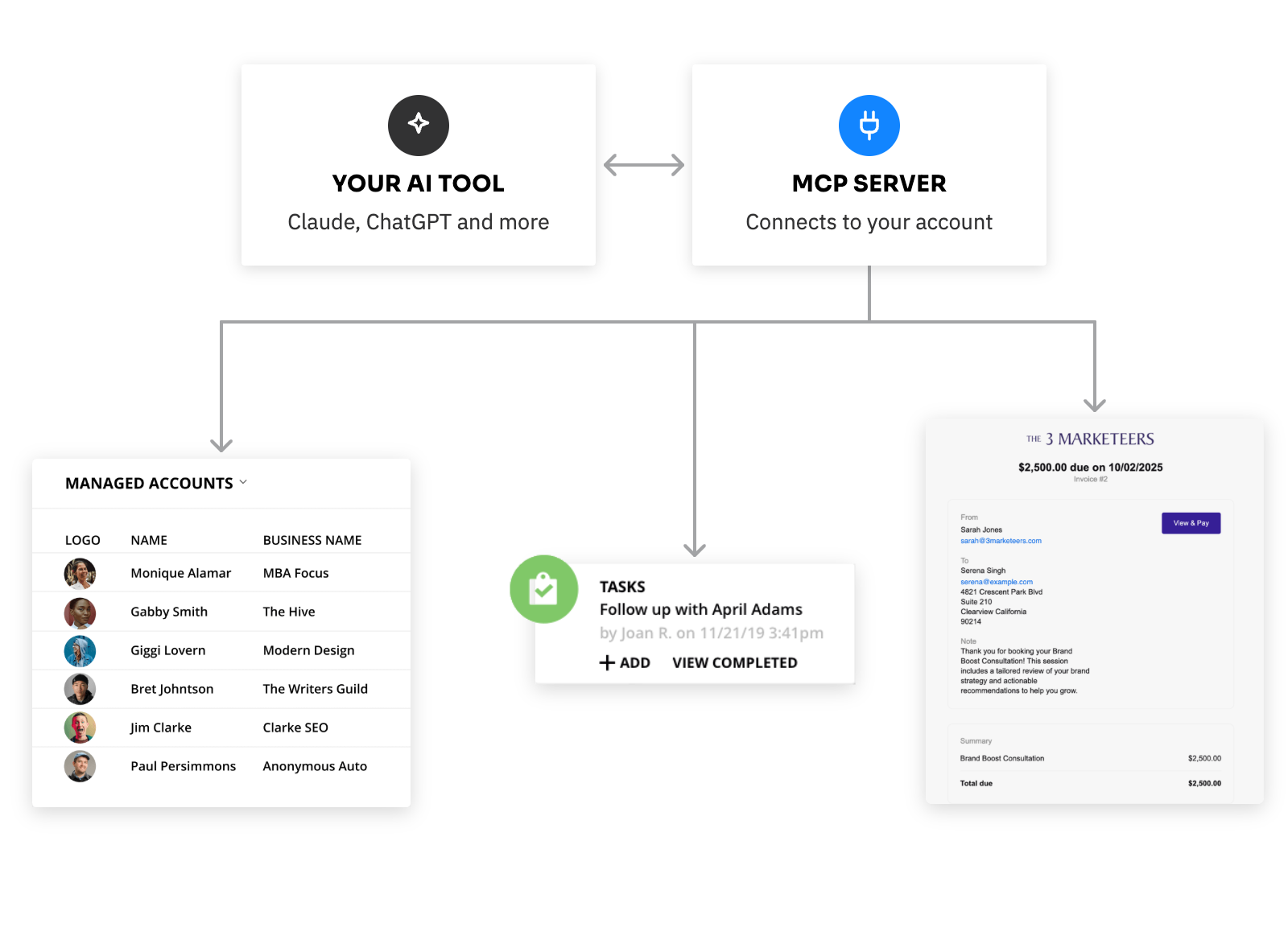
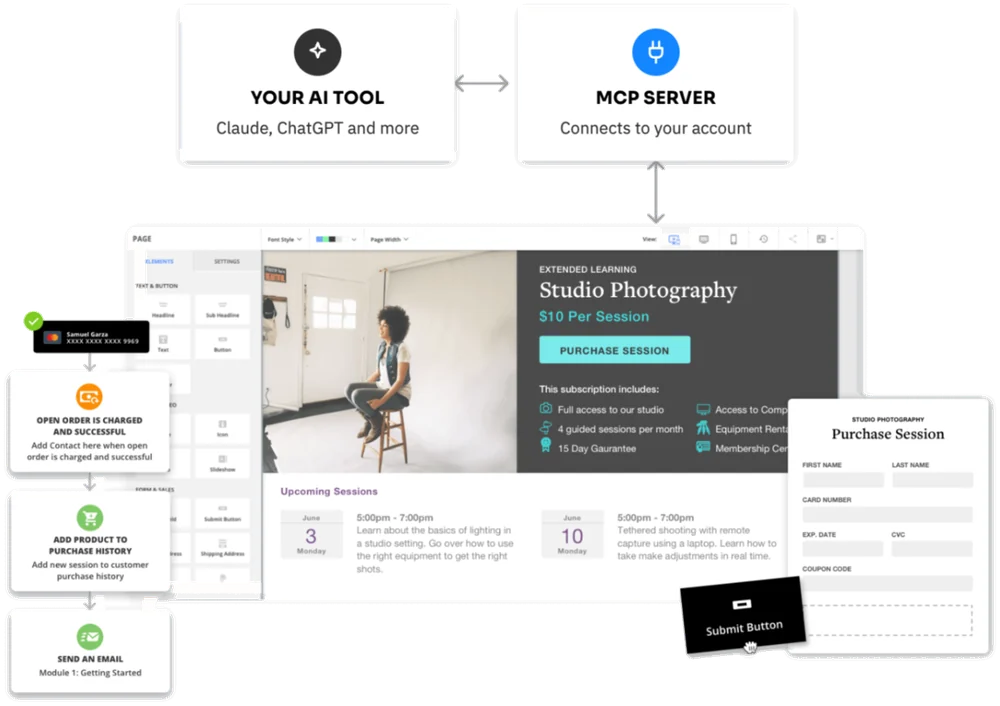
One connection linking an AI tool to Ontraport’s CRM, payments, campaigns and pages

One connection to your entire business

Because your CRM, payments, campaigns and pages all live in one platform, a single connection gives your AI tool access to all of them, instead of a separate connection for every app.

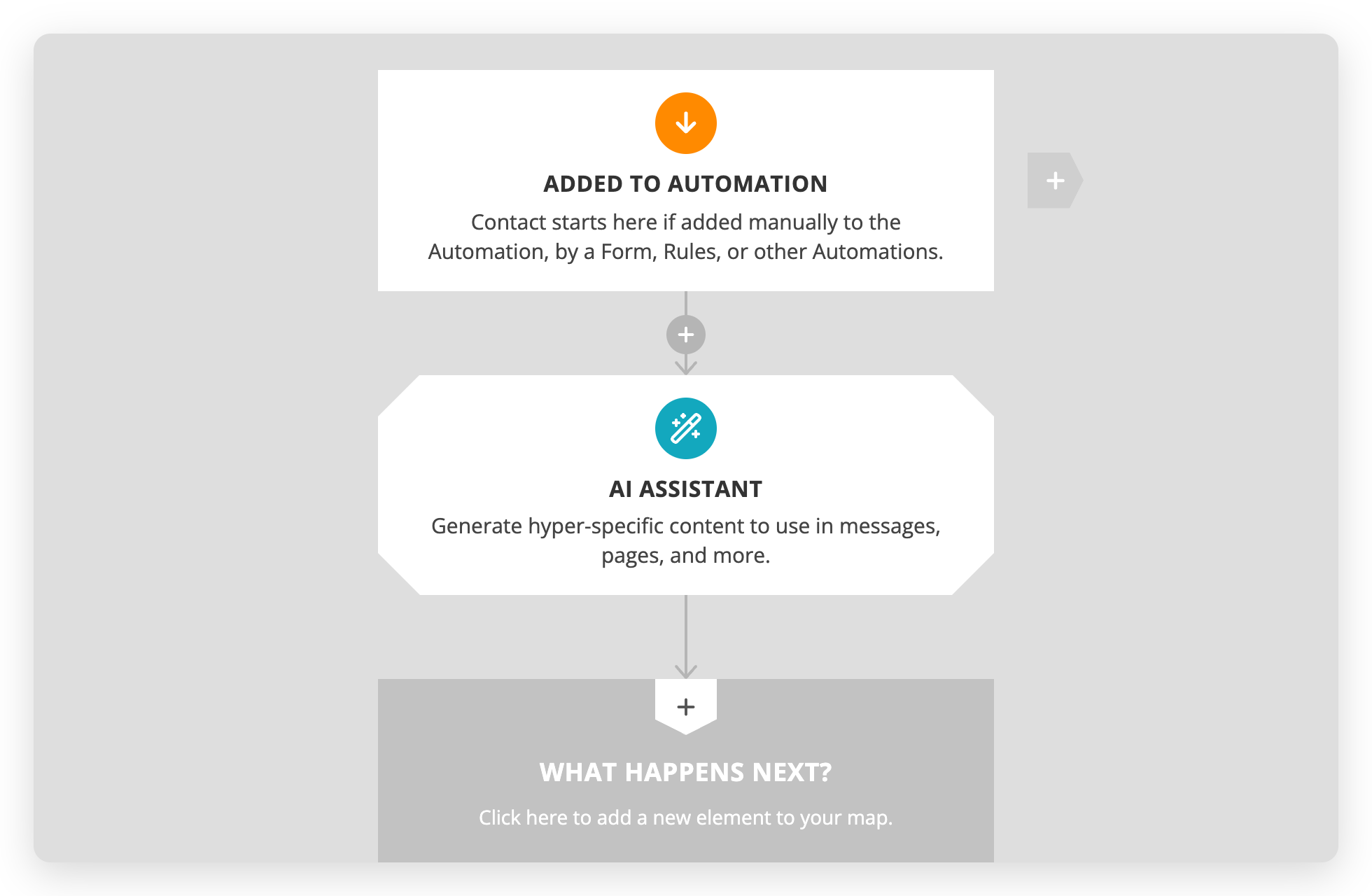
An AI step added to a campaign in Ontraport’s automation builder

Add AI to the automations you already run

Drop an AI step into a campaign the same way you’d add an email or task, so AI becomes part of the follow-up you’ve already built.

An AI tool reviewing objects, fields, tags and relationships in an Ontraport account

AI that understands how your data is set up

Connected AI tools can see your objects, fields, tags and relationships, so they can spot duplicates and suggest what to reuse before you build something new.

Ontraport’s PCI DSS Level 1 certified platform

A secure, scalable platform underneath

Ontraport’s AI features run on the same PCI DSS Level 1 certified platform that already holds your contacts, payments and campaigns, built to scale as your business grows.

[Ontraport’s MCP server] means you can now set up an AI agent to be the ‘architectural brain’ of your account — monitor field additions, write processes, review relevance.

In the past you had to do this manually using Lucidchart. Now you can build an agent, tell it how you work, and have it understand all your fields and relationships.

Then, before building anything new, you can ask your architect ‘Hey, what might I mess up here? Can I reuse existing components?’

Rob M.

Problems solved

Get more done with less manual work

When AI can read and act on your live customer data, the most tedious parts of running your business get a lot faster.

Stop copying data between your CRM and AI tools

No more exporting lists, pasting them into a chat and copying the results back by hand. Your AI tool works with your live data directly.

Personalize follow-up without writing every message

Add an AI step to your automations that writes follow-up based on each contact’s data, so every message feels personal even when you’re sending hundreds.

Keep your pipeline current without the data entry

Connect Claude or ChatGPT to your account, then ask it to update records, move deals and complete tasks, so your CRM stays accurate as you go.

Go from draft to live content in one conversation

Write course lessons, directory listings or page content with your AI tool, and publish it to your dynamic pages without leaving the chat.

Walk into every call prepared

Ask your AI tool for a contact’s purchases, recent emails and open tasks before a call, and get a quick summary instead of clicking through their record.

Recover failed payments faster

Ask your AI tool which invoices are declined or overdue, then retry the charge or resend the invoice in the same conversation.

Opie chat panel open beside a contact list, suggesting questions to ask

Opie

Find answers, records and account data just by asking

  • Ask how a feature works and get answers with links to the full Support Center article
  • Jump straight to the right record, filtered collection, editor or settings screen
  • Get quick counts and lookups from your contacts, companies, tasks and custom objects
Learn more
Diagram of an AI tool like Claude or ChatGPT connecting through the MCP server to an Ontraport account

MCP Server

Connect Claude, ChatGPT and other AI tools to your Ontraport data

  • Look up contact history, open invoices and email performance right from the chat
  • Update records, move deals, tag contacts and manage payments in a single request
  • Control which actions your AI can take, with access limited to each user’s role
Learn more
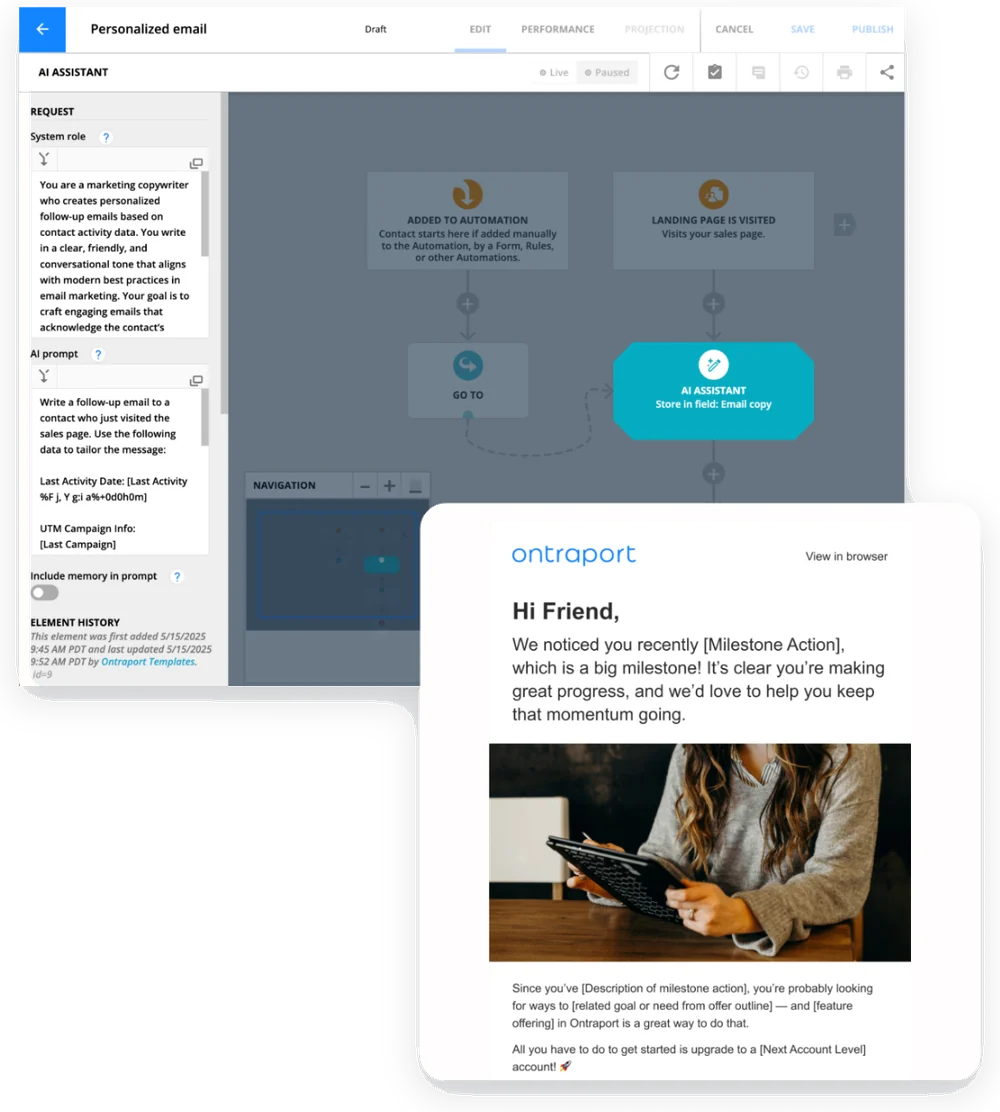
AI Assistant step in an Ontraport automation writing a personalized follow-up email

AI Assistant

Add AI-powered steps to your automations

  • Write personalized emails and follow-up using each contact’s field data
  • Summarize, classify or analyze each contact’s data automatically
  • Save AI responses to fields and use them in emails, pages and later automation steps
Learn more

Ready to get started with Ontraport’s AI tools?

Try Ontraport free for 14 days to test out our AI tools alongside our CRM and marketing automation, and see how they all work together for your team.

Try for free

What’s next for AI in Ontraport

Today, AI helps you find answers and get work done across your account. Next, it’ll build your systems for you and flag what needs attention before you think to ask.

COMING IN 2027

AI-built automations and pages

Describe the marketing journey, sales process, onboarding workflow or membership site you want, and AI will build the automations and pages to run it.

ON THE ROADMAP

Proactive insights and recommendations

Because Ontraport’s AI sees your whole business in one place, it will flag underperforming campaigns, at-risk customers and what to fix, so you can act early.

ON THE ROADMAP

More ways to work with Opie

Opie is the foundation for more AI help in Ontraport. Today it answers questions and finds records, and we’re working on expanding what it can do next.

Frequently Asked Questions

What AI features does Ontraport offer?

Ontraport offers three ways to work with AI:

  1. Opie: The AI chat assistant built into your account. Ask how a feature works, jump to the right record or screen, or get answers from your account data.
  2. MCP server: A connection that lets AI tools like Claude and ChatGPT look up and update your records, manage campaigns and handle payments in your account.
  3. AI Assistant: An element in the automation builder that uses your prompts and contact data to write personalized content for each contact, which you can use in emails, pages and other automation steps.
Are Ontraport’s AI features included in my plan?

Opie and Ontraport’s MCP server are included with every account level at no additional cost. Opie doesn’t require a Dynamic CMS plan, and we’re turning it on account by account during the rollout. The AI Assistant automation element requires purchased AI credits. Talk to sales to learn more.

Does Ontraport train AI on my data?

No. Ontraport doesn’t train AI models on your data. When you use an AI feature, Ontraport processes your request and the account data relevant to it to give you a response, working with the AI service providers listed in our Terms. You keep all rights to your data and the prompts you submit. If you connect your own AI tool through the MCP server, that tool’s data policies also apply.

Which AI tools can I connect to Ontraport?

Ontraport’s MCP server works with Claude, ChatGPT, Cursor and other AI tools that support remote MCP servers. Connecting takes just a few minutes. Follow the step-by-step instructions in Getting started with Ontraport’s MCP server.

How do Ontraport’s AI features handle permissions?

Opie and the MCP server both work within your existing user role, so they can never see or change anything you couldn’t access yourself. Opie is read-only and never changes your account. With the MCP server, you can limit what your AI tool is allowed to do, for example by turning off delete permissions.

14-day free trial. No credit card required.

Ready to put AI to work across your business?

settings
arrow_forward
Talk to sales
Top Left Image
Ontraport is one of, if not THE best investment I have ever made for my business. My goal is to automate my business to give me the free time to do other things and this system just keeps giving me that freedom.
Garry Schleifer
Choice magazine

© Ontraport 2026

Terms & Conditions  |  Privacy Policy
PCI DSS, Level 1 EU-U.S. Data Privacy Framework.
[bot_catcher]